Raspberry pi os for Raspberry Pi 4/5 doesn't respond to F2 keyboard shortcut for renaming file.

Disabling an option in the File manager(FYI file manager is pcmanfm) will enable the F2 shortcut.

In pcmanfm(file manager) -> Edit -> Preference

Layout->Disable Display Simplified user interface and menu


ref :- https://forums.raspberrypi.com/viewtopic.php?f=91&t=217486&p=1337477#p1337475


Draw Arrow in GIMP 2.10

 cp arrow-set-size.scm to 

/home/qwakaw/.config/GIMP/2.10/scripts

or

${HOME}/.config/GIMP/2.10/scripts/


Open GIMP and use Path tool to draw a path.
Then use Tools -> Arrow


 For Video **

Used a VGA to HDMI adapter -> HDMI to micro HDMI adapter

For Audio **

There are USB headphone but for me 3.5mm audio output was provided in the VGA to HDMI adapter


 Install raspberry Pi OS using Imager provided in the link

https://www.raspberrypi.com/software/

If you are trying to install Raspberry Pi OS from Raspberry Pi OS. Use rpi-imager, which is provided in the repository

In Raspberry Pi OS

From accessories -> Raspberry Pi Imager

Choose Raspberry Pi Device


Choose Operating System


Choose storage


In the next step, customise OS settings -> Edit Settings

Provide Hostname, Username, Password, Wireless LAN, Enable SSH


Apply OS customisation settings

All existing data from SDXC card will be erased.


Output of neofetch on both Raspberry Pi 4/5


How to convert MP4 to MP3 using VLC

 a) Select Media -> Convert/Save in VLC (page1)

b) In open media -> File tab add the mp4 file (page2)

c) Convert/save button 

d) Select profile -> Audio - MP3 in settings(page3)

e) Provide the destination file with .mp3 extention

d) Click start button

How to Download youtube videos with VLC Player?

 There are lots of helpful videos and log about this. 

Want to keep one for my own reference in one place.

a) Copy YouTube URL

b) Launch VLC Media Player 

- Media -> open Network Stream

- In the Network Protocol text editor enter the youtube URL

- select play option

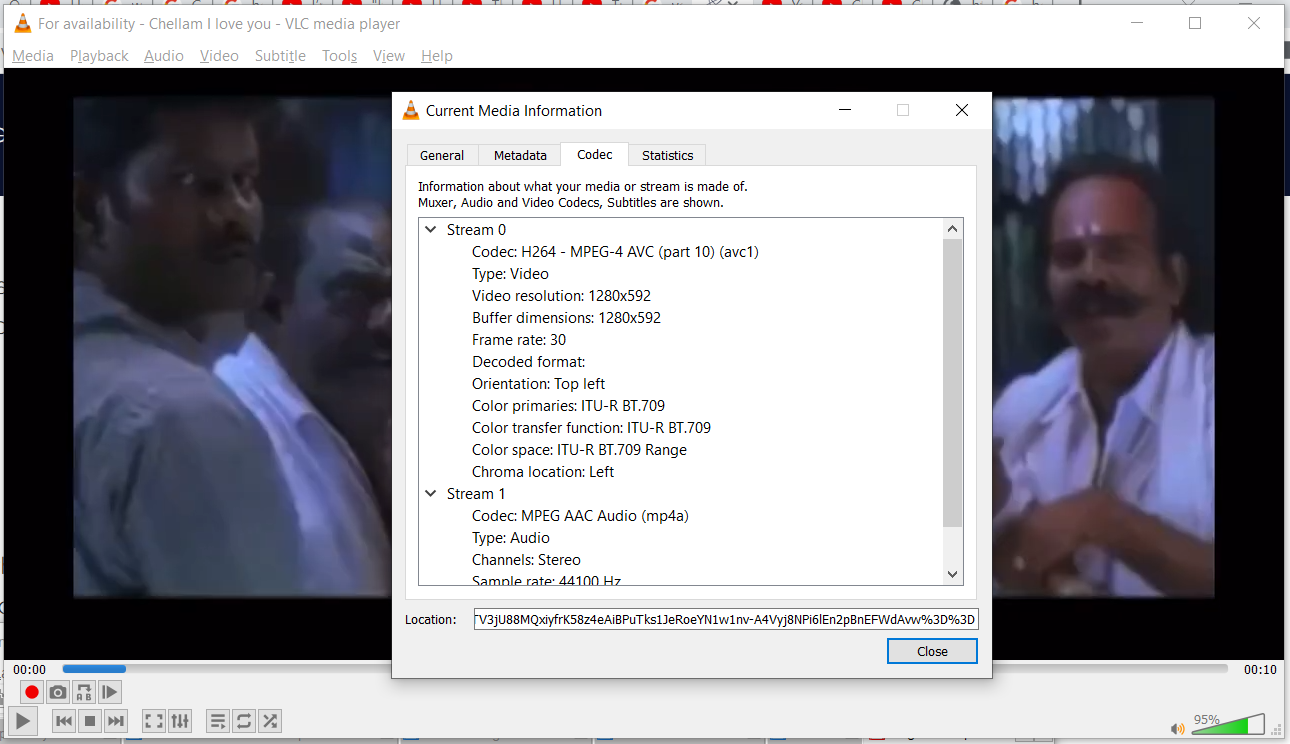
- select tools -> codec information

- Copy the information from location 

c) copy/paste the information from location in your web browser

This will play the video 

d) In the video right click and save video as 

mp4.


Spammers and Scammers comments - Purged


top